Overview
What is S3M (OLCF API)?
Note
All elements of the OLCF Facility API are in an early release state and are subject to change without notification. As such these resources should only be used for the purposes of testing and should not be relied upon for any production workflows.
The Secure Scientific Service Mesh (S3M) is an OLCF facility-managed gateway which provides access to a range of API endpoints. The APIs are authenticated with OLCF Project Access Tokens.
S3M Use Cases
Submit Slurm jobs programmatically
Set up data streaming services for OLCF compute resources
View OLCF center/resource statuses programmatically
Token Policy
Important
Please see Token Management for token best practices.
Draft - Last updated 8/15/2025
OLCF-issued API tokens, known as Project Access Tokens, are explicitly scoped to individual projects and may only be used for authorized actions within the boundaries of the project for which they were generated. While tokens are tied to project access, the user who generates a token remains ultimately responsible for its use. Any misuse or abuse of an API token, whether intentional or accidental, may result in strict disciplinary action, including revocation of access. To minimize risk, users must handle tokens with the utmost confidentiality, taking all necessary precautions to avoid accidental exposure, such as in source code repositories, shared documentation, or other public contexts. If a token is exposed, the user must immediately revoke it and generate a new one. Additionally, only project members with valid OLCF accounts are authorized to interact with the project’s API tokens; individuals without an OLCF account, even if associated with the project, are prohibited from using or accessing the token. In the event of token misuse, malicious activity, or a compromised token, users must promptly notify OLCF staff at help@olcf.ornl.gov to mitigate risks and take corrective measures, including revoking the compromised token and ensuring the security of associated accounts and projects.
Get a Token
Warning
Before generating a token, understand these security essentials:
Tokens are tied to you and are your responsibility, not just the project’s
Never commit tokens to git or share them publicly
Immediately revoke exposed tokens (see Revoke a Token)
Use minimum necessary permissions for your workflow
For more on token security, see Token Management.
Access to the resources in the OLCF Facility API is restricted to your project via an access token. This means that
when you generate a token using myOLCF it is always scoped to the project itself, not your user account. For example,
if using the compute resource to submit a job via Slurm it will run under your project _auser account.
Generate a Token
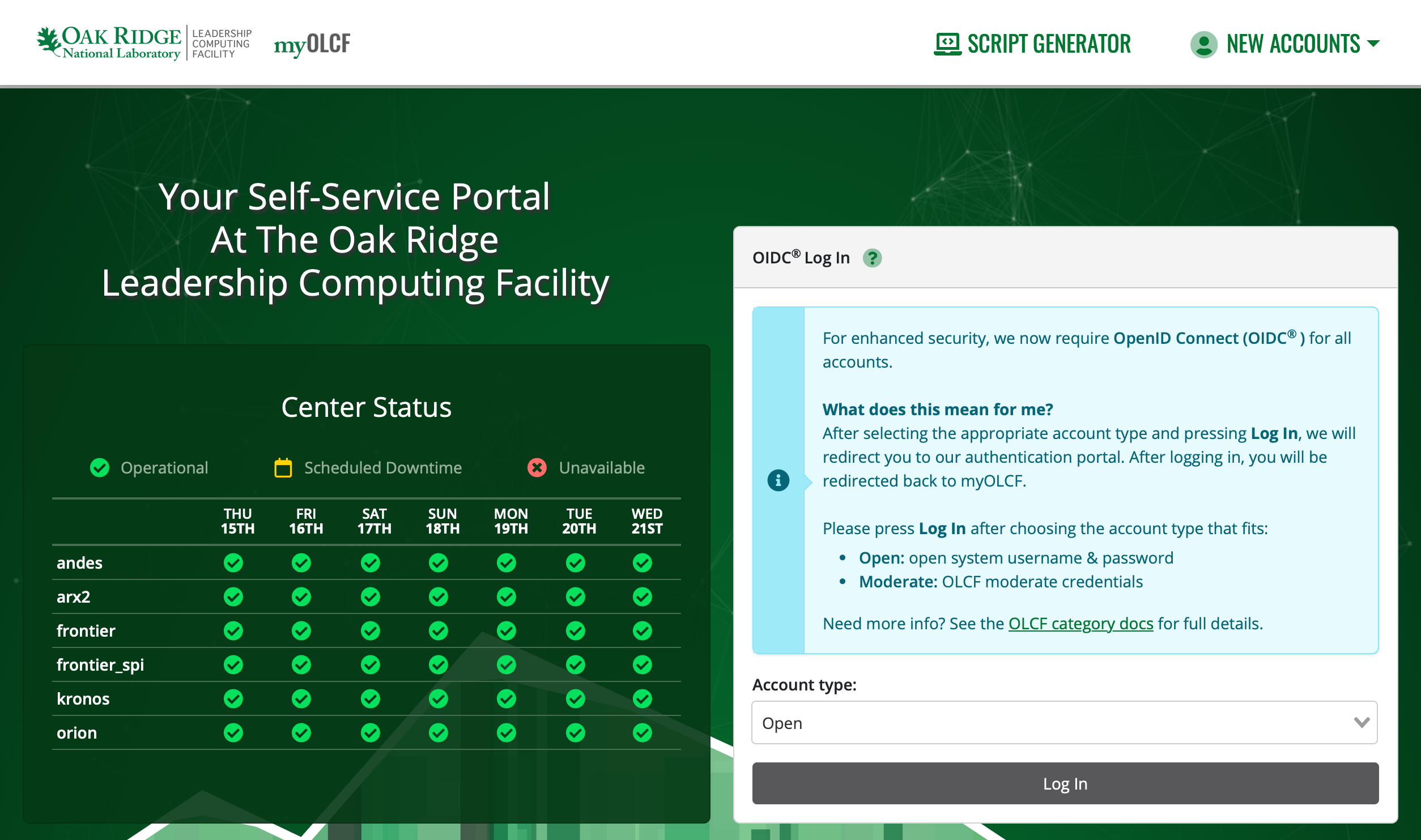
1. Navigate to: https://my.olcf.ornl.gov
2. Log in using an Open account.
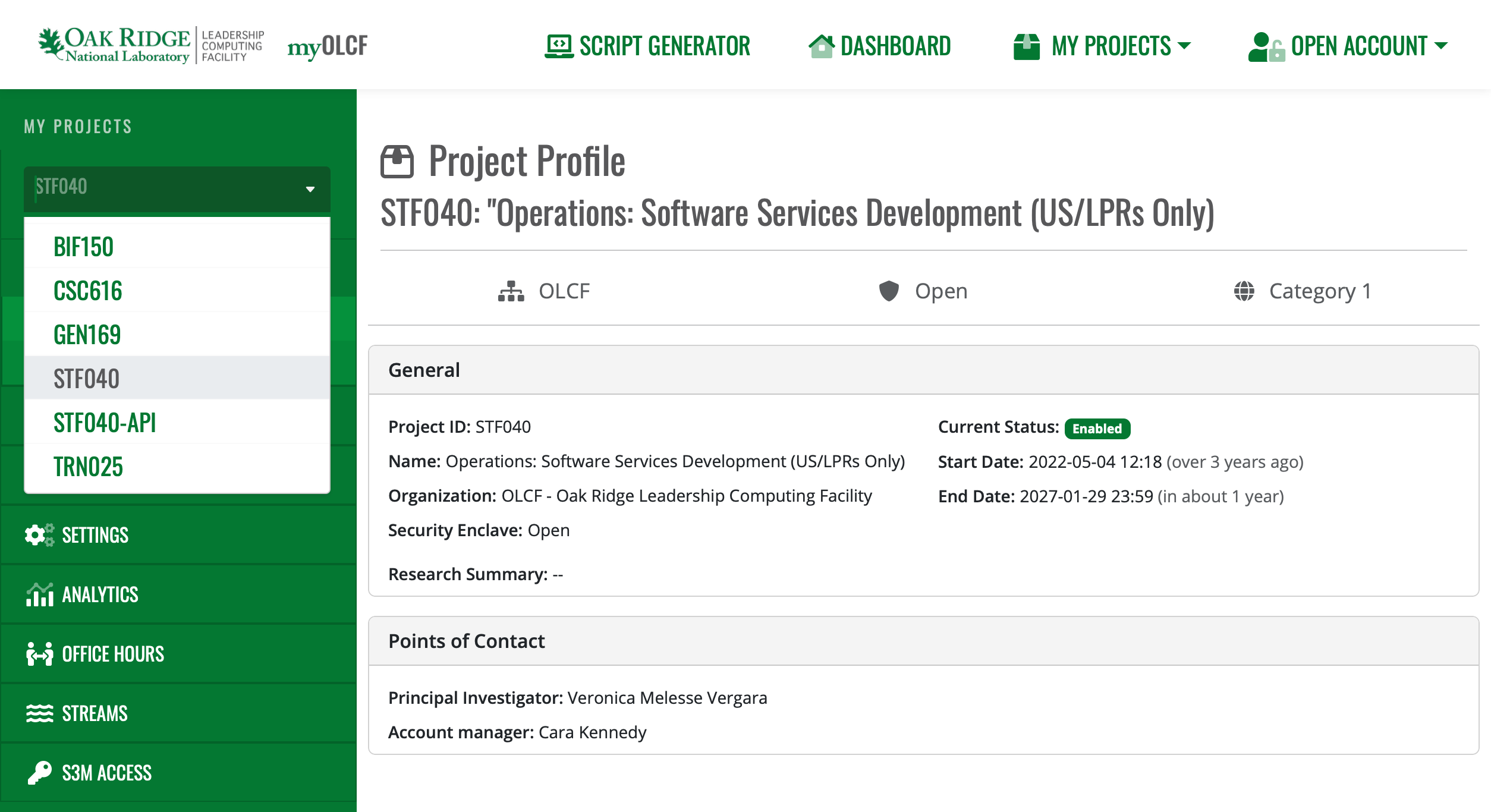
3. Select the Project you want an S3M token for.
Note
If your required project doesn’t have an “S3M Access” option in the sidebar, S3M likely isn’t enabled for it yet; please contact OLCF Support at help@olcf.ornl.gov for help.
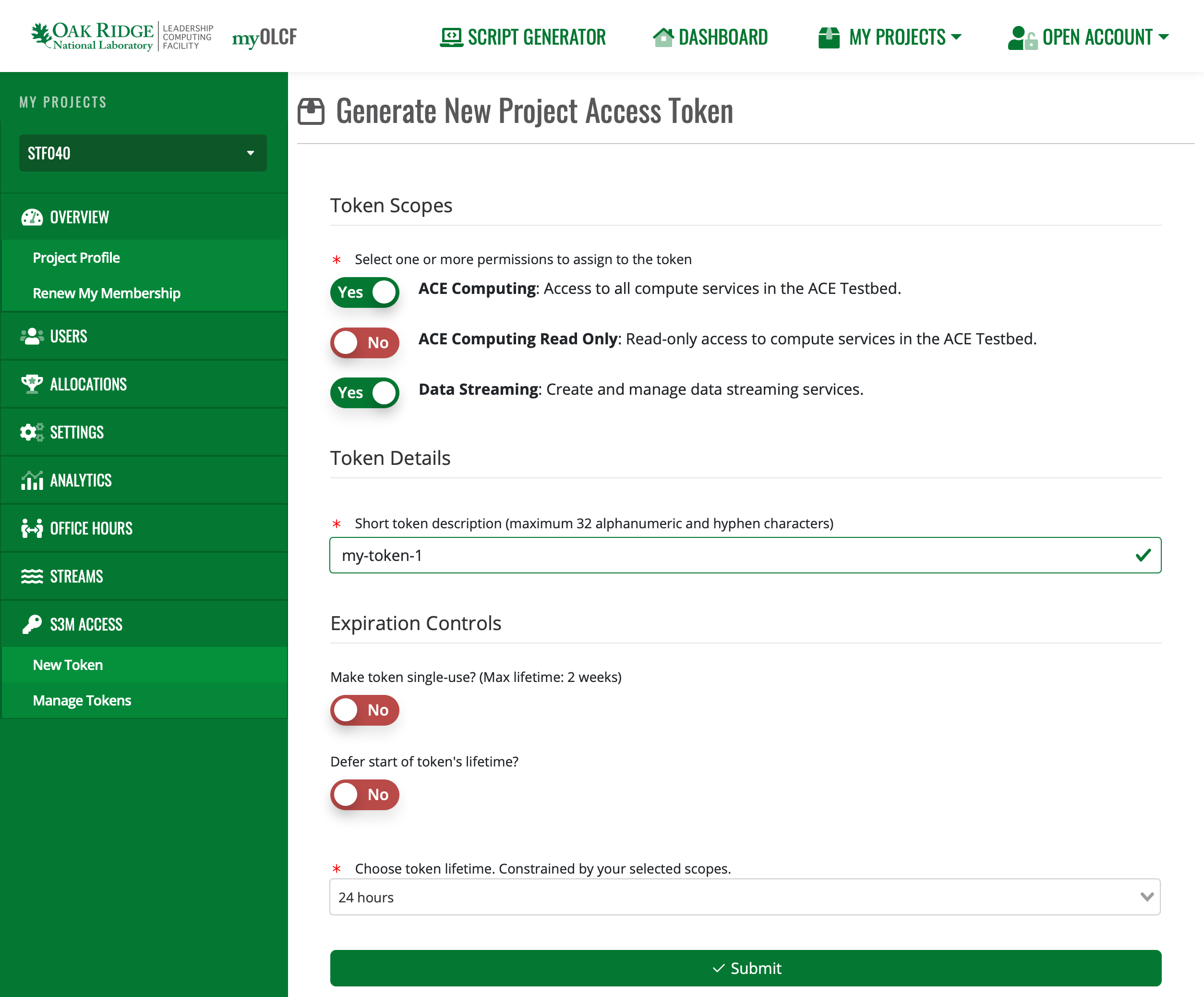
4. Navigate to the S3M Access -> New Token page. Here you can generate a token with the desired permissions
and expiration controls.
Finally, copy the token and store it someplace safe (please, NOT in source code). Once you leave this page, you can’t retrieve your token again.
Manage Existing Tokens
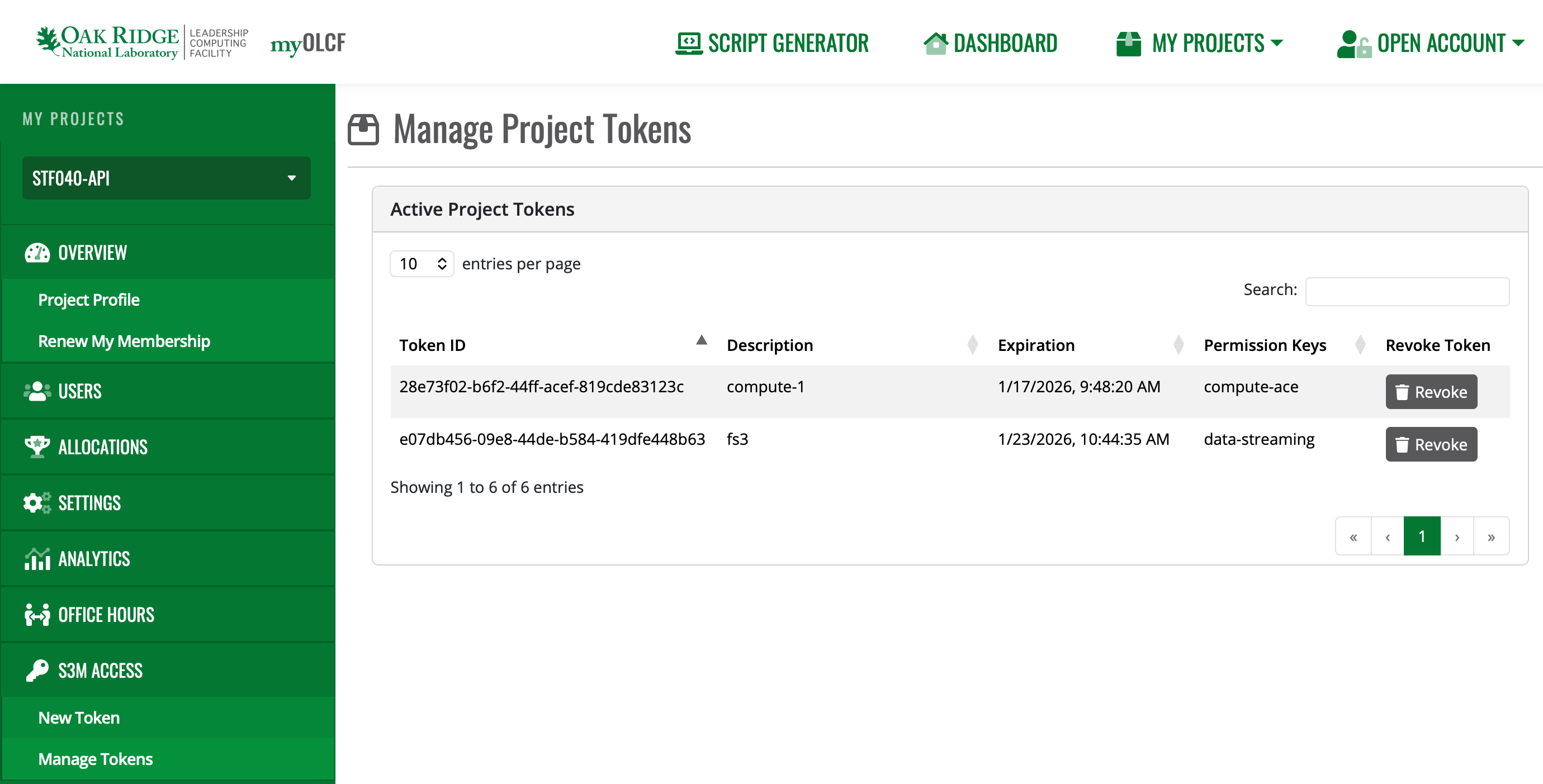
You can view existing tokens, their permissions, current expiration, and revoke them via the Manage Tokens page.
Token Management
A leaked token can expose your project’s data and resources. This page covers how to avoid that.
Immediately Revoke Tokens if Exposed!
If for any reason your token has been exposed externally or you suspect it has been stolen by malicious actors, revoke access to that token right away. This can be accomplished in either of the following ways:
Using the myOLCF Manage Tokens interface:
Using the token itself to request revocation:
$ curl -i -X DELETE -H @.env \
    https://s3m.olcf.ornl.gov/olcf/v1/token/ctls/revoke
HTTP/1.1 200 OK
If you suspect the token has been misused, please contact OLCF Support <help@olcf.ornl.gov> right away for further assistance.
Never Save Token Directly in Code
Even when simply experimenting with S3M functionality, it is highly recommended that you never save tokens directly in scripts or code that could be committed to a repository or saved to a shared system. Instead, always read tokens from environment variables when possible:
import requests
import os

headers = {
    "Authorization": os.getenv('S3M_TOKEN')
}

response = requests.get(
    "https://s3m.olcf.ornl.gov/slurm/open/v0.0.43/defiant/ping",
    headers=headers)
Avoid Command-Line Arguments
Depending on your system’s configuration, providing secrets to an application via command-line arguments can expose them to other users or processes, even when storing tokens in variables.
$ export TOKEN="eyJhbGc..."
$ curl -H "Authorization: $TOKEN" https://...

$ ps aux | grep eyJhbGc
user      456 pts/0    S+   11:33   0:00 curl -H Authorization: eyJhbGc... https://...
The shell expands $TOKEN before executing the command, so the token value appears in the process listing just as if
it were typed directly.
Instead: Loading secrets from files is a safer option. Store the authorization header directly in a file and use
curl’s @ syntax to read it:
$ echo "Authorization: eyJhbGc..." > .env
$ echo ".env" >> .gitignore

$ curl -H @.env https://s3m.olcf.ornl.gov/slurm/open/v0.0.43/defiant/ping
{"meta":{"plugin":{"type":"openapi/slurmctld", "name":"Slurm OpenAPI slurmctld"...
There are exceptions to these risks; however, it is always better to be safe when writing your production workflows or scripts.
Verify Secret Files are Ignored
When setting up your project repository, ensure that files or directories that can contain secrets are properly ignored. Some common files include:
There are other ways you can accidentally expose secrets, so take the time to examine your specific project’s circumstances. Give extra care to any elements of the project that you are packaging for release.
Principle of Least Privilege
Request only the permissions your workflow actually needs. If a token with limited scope gets compromised, the damage is limited too.
Secure Storage of Tokens
Don’t store tokens in plaintext files or shared locations. Password managers, OS keyrings, or secrets management tools are better options. Keep tokens out of version control and anywhere other users might see them.
Example: Using Header Files Securely
Store the authorization header in a file and use curl’s @ syntax to read
it. This keeps tokens out of your shell history:
# Create a header file with your token
echo "Authorization: your_token_here" > .env

# Add to .gitignore to prevent accidental commits
echo ".env" >> .gitignore

# Use the header file with curl
curl -H @.env https://s3m.olcf.ornl.gov/olcf/v1alpha/status
This prevents tokens from showing up in shell history, process listings, and environment variable dumps.
Set Up Your Project
All S3M services are accessible via RESTful JSON APIs, so you can use curl or HTTP requests in your language of
choice. For more complex integrations, auto-generated Python and Go client libraries are available; these may help you
catch issues with your requests and make it easier to develop against S3M using an IDE with code assistance.
Note
The following OpenAPI v3 spec is not publicly available. ORNL-internal users may request access by contacting OLCF Support: help@olcf.ornl.gov.
You can obtain the S3M API’s OpenAPI v3 spec here.
No Setup Required
Use curl or any HTTP client to call the REST API directly.
Authentication
Most S3M endpoints require your token in the Authorization header. Store your token in a header file for
secure, repeatable use:
# Create a header file with your token (replace with your actual token)
echo "Authorization: your-token-here" > .env

# Add to .gitignore to prevent accidental commits
echo ".env" >> .gitignore

# Use curl's @ syntax to read the header from the file
curl -H @.env https://s3m.olcf.ornl.gov/olcf/v1alpha/status
This approach keeps tokens out of your shell history and environment variables. See Token Management for more security best practices.
Note
The gRPC API specs, Python client package, and Go client package are not yet publicly available. ORNL-internal users may request access by contacting the OLCF Support: help@olcf.ornl.gov.
Prerequisites
Python 3.9+
SSH Key Setup: The Python module is hosted on a private ORNL GitLab instance (
code.ornl.gov). You must have an SSH key pair configured on your machine and the public key registered in your code.ornl.gov profile.
Installation
Install the s3m-apis-betterproto library directly from our internal GitLab repository.
pip install git+https://code.ornl.gov/s3m/s3m-apis.pyb.git
Project Template
The library provides a S3MClientFactory helper class to initiate S3M connections. Use it as an asynchronous
context manager to ensure connections are closed properly.
import asyncio
import os
from s3m_apis_betterproto.clientfactory import S3MClientFactory

SERVICE_URL = "s3m.olcf.ornl.gov"

async def main():
    # Status doesn't require a token, so you can leave the second arg blank
    token = os.environ.get('S3M_TOKEN', '')

    async with S3MClientFactory(SERVICE_URL, token) as factory:
        # Create client stubs and make API calls here
        # Example: client = factory.create_client(StatusStub)
        pass

if __name__ == "__main__":
    asyncio.run(main())
Available Client Stubs
Import the stub for the API you need:
from s3m_apis_betterproto.status.v1alpha import StatusStub
from s3m_apis_betterproto.slurm.v0043 import SlurmIndirectStub
from s3m_apis_betterproto.streaming.v1alpha import StreamingStub, RabbitMqStreamingStub, RedisStreamingStub
from s3m_apis_betterproto.tms.v1 import TokenControlStub
Note
The gRPC API specs, Python client package, and Go client package are not yet publicly available. ORNL-internal users may request access by contacting OLCF Support: help@olcf.ornl.gov
Prerequisites
Go 1.24+
SSH Key Setup: The Go module is hosted on a private ORNL GitLab instance (
code.ornl.gov). You must have an SSH key pair configured on your machine and the public key registered in your code.ornl.gov profile.
Project Initialization
Because s3m.olcf.ornl.gov/apis is a private Go module stored on an ORNL GitLab instance at code.ornl.gov,
Go cannot discover it automatically via the public proxy. You must use a replace directive to tell Go
specifically where to find the source code.
# Make a project folder
mkdir my-s3m-project
cd    my-s3m-project

# Define your project and point it to the ORNL-internal Go S3M module
go mod init my-s3m-project
go mod edit -replace s3m.olcf.ornl.gov/apis=code.ornl.gov/s3m/s3m-apis.go.git@latest

# Go should now download the module and save it in your repo. GOPRIVATE makes Go use your SSH key for authentication
export GOPRIVATE=code.ornl.gov
go mod tidy
go mod vendor
An example main.go file
Use s3mutil.NewS3MConn to establish a secure gRPC connection.
package main

import (
    "context"
    "os"

    "s3m.olcf.ornl.gov/apis/pkg/s3mutil"
)

const ServiceURL = "s3m.olcf.ornl.gov"

func main() {
    token := os.Getenv("S3M_TOKEN")

    conn, err := s3mutil.NewS3MConn(ServiceURL, token)
    if err != nil {
        panic(err)
    }
    defer conn.Close()

    // Create clients and make API calls here
    // Example: client := statuspb.NewStatusClient(conn)
}
Available Client Packages
Import the package for the API you need:
import (
    statuspb "s3m.olcf.ornl.gov/apis/status/v1alpha"
    slurmpb "s3m.olcf.ornl.gov/apis/slurm/v0043"
    streamingpb "s3m.olcf.ornl.gov/apis/streaming/v1alpha"
    tmspb "s3m.olcf.ornl.gov/apis/tms/v1"
)
Prerequisites
Python 3.9+
requestsPython librarya
.envfile withS3M_TOKEN=<your token>
You can read more about the Python requests library here: https://requests.readthedocs.io/en/latest/user/quickstart/
Setup
source .env
pip install requests
Authentication and Usage
import os
import requests

S3M_BASE_PATH = "https://s3m.olcf.ornl.gov/olcf/v1alpha"
S3M_TOKEN = os.getenv("S3M_TOKEN")

# This sets the Authorization header like the curl example
headers = {
    "Authorization": S3M_TOKEN,
}

response = requests.get(
    S3M_BASE_PATH + "/status", # to target the "status" service
    headers=headers,
)

if response.ok:
    status_response = response.json()
    print(status_response)

else:
    raise ValueError("Request to S3M failed")
Contact Us
As we continue to develop the OLCF API services we are eager to hear about your questions, challenges, or general feedback. Please reach out to OLCF Support: help@olcf.ornl.gov